
PowerPoint decks are great for meetings — and terrible for everything else. Long slides, dense text, and static visuals fail to keep sales teams or potential customers engaged. This is where Vidnoz AI can make a real difference. The platform transforms traditional PPT presentations into professional sales enablement videos featuring realistic AI avatars, natural-sounding voiceovers, animations, and multilingual support. In this Vidnoz AI review, we will explore its key features, benefits, limitations, and how it helps sales teams communicate more effectively.
Part 1: Overview of Vidnoz AI
Vidnoz AI is a professional AI Video Generator designed to help businesses, marketers, educators, and content creators produce high-quality videos without cameras, actors, or complex editing software. The platform allows users to turn text, PowerPoint presentations, PDFs, and other source materials into engaging videos within minutes. The program offers a wide range of features, including realistic AI avatars, natural-sounding voices, customizable templates, multilingual support, and simple editing tools. The standout feature of Vidnoz AI is that it is certified with ISO/IEC 27001:2022 for Information Security Management. For sales teams, Vidnoz AI can easily transform dry PowerPoint decks into engaging product presentations, onboarding materials, training videos, and customer explainers.
Part 2: Best Vidnoz AI Features for High-Impact Sales Videos
The program offers a wide range of powerful features that help sales teams transform static presentations into engaging and professional videos. Here are the top features of Vidnoz AI:
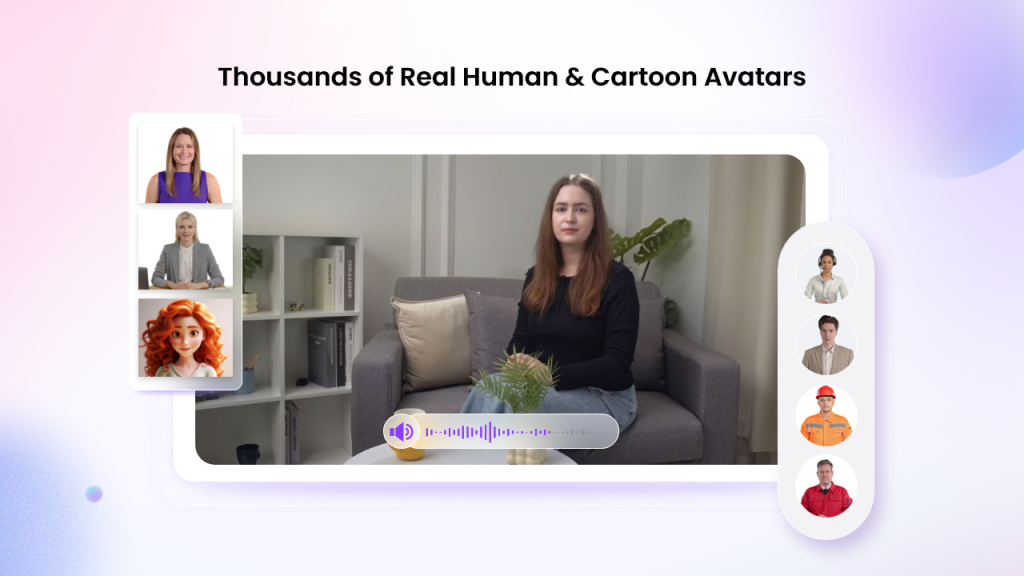
- Lifelike AI Avatars: Vidnoz AI includes 1900+ realistic AI Avatars, each with unique features and capabilities. It includes avatars of doctors, nurses, customer support, musicians, teachers, and more. Plus, Avatar Lite enables you to create digital twins in 40+ languages. The Expressive Avatar feature further improves video quality by adding natural facial expressions, emotions, gestures, and body movements.
- Pre-Designed Templates: The program also provides 2800+ video templates, allowing sales teams to create various types of videos, such as product demonstrations, sales pitches, onboarding videos, training materials, and company introductions. Sales teams can also customize each template by adding brand colors, logos, and background music.
- Natural-Sounding Voices: Vidnoz AI offers 2000+ AI voices in 140+ languages, each with unique accents and characteristics. All voices are powered by ElevenLabs, Microsoft, and Google. Sales teams can select a voice that matches their brand personality, target audience, and video purpose.
- AI Video Wizard: With the help of this tool, sales teams can easily create high-quality videos without professional help or editing experience. The AI Video Wizard feature enables users to generate polished videos from a simple text prompt, PowerPoint presentation, PDF, or other source material.
- Free Version: One of the best parts of Vidnoz AI is that it includes a free version, allowing users to create high-quality videos without making an upfront investment. The free plan offers 30 free credits and advanced features like Online Video Editor, AI Video Enhancer, AI Voice Changer, and more.
Part 3: Vidnoz AI for Sales Teams: Pros and Cons
Vidnoz AI Video Generator provides sales teams with a fast and affordable way to turn static PowerPoint presentations into engaging videos. Here are the top benefits and limitations of Vidnoz AI:
Pros
- Offers amazing features, such as 1900+ AI Avatars, 2000+ AI Voices, and 2800+ Customizable Templates.
- Vidnoz AI provides a wide range of AI tools such as AI Talking Avatar, AI Cartoon Generator, AI Voice Changer, and AI Text to Video.
- Users can cut and trim footage, add animated effects, change backgrounds, and do more with Vidnoz AI Video Editor.
- Free media library includes multiple assets, such as images, music, icons, and text that users can easily access and integrate into their videos.
- Offers an intuitive interface, which is best for non-tech and beginner users. Sales teams can easily produce videos using dry PPTs.
Cons
- It is a web-based tool, meaning it requires a stable and active internet connection to create high-quality and professional-looking videos.
Part 4: How to Turn Dry PPTs Into High-Impact Sales Enablement Videos?
The program offers an easy-to-use interface, allowing users to create high-impact sales videos without editing experience. Here is how to do it:
- Navigate to Vidnoz AI’s official site. Log in with your account and click on the “Create Free Video Now” button. Choose the Video Template and AI Avatar.
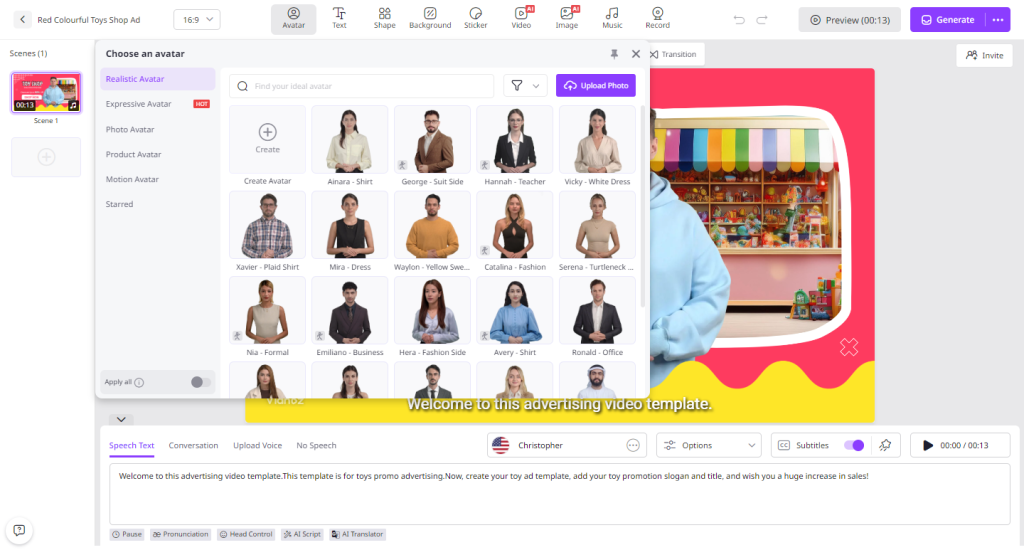
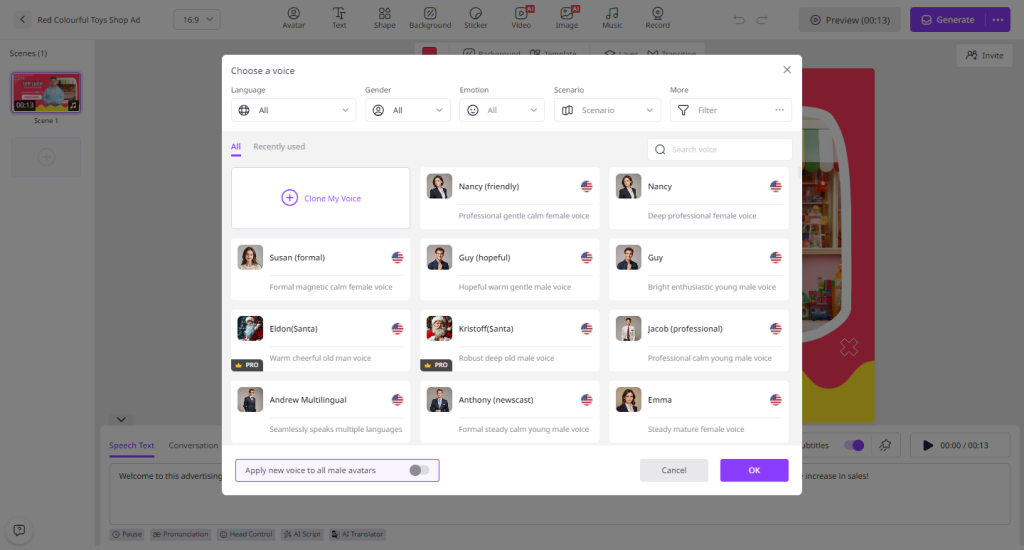
- Upload your PPT file to Vidnoz AI and enter the text prompt. Choose the AI voice and the language.
- Use the Online Video Editor to customize the AI video according to your requirements. Users can change the background, add music, and more.
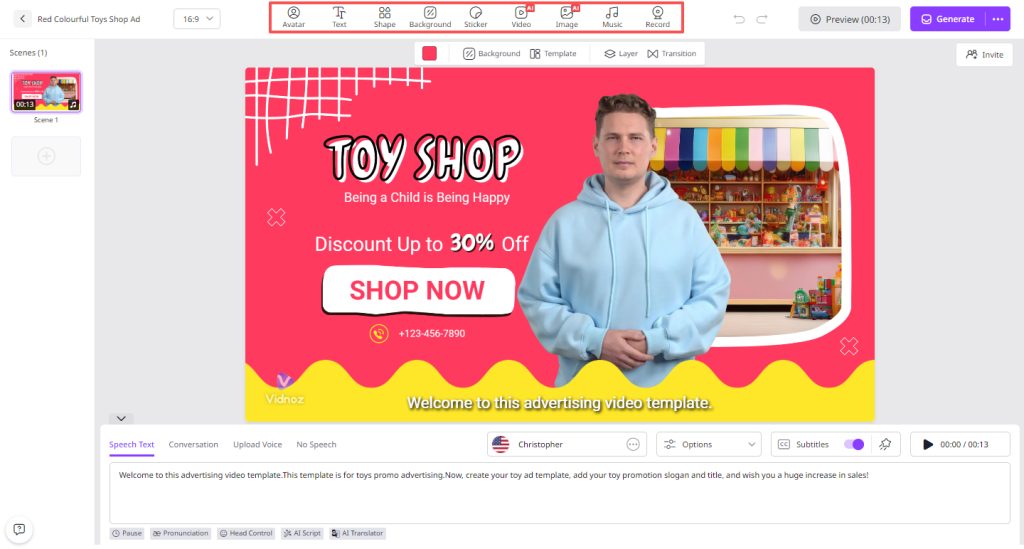
- Finally, click on the “Generate” button to begin the video production. Vidnoz AI will turn dry PPT files into engaging videos within seconds.
Final Thoughts
Vidnoz AI is one of the best tools for sales teams who want to transform dry PowerPoint presentations into engaging sales enablement videos. Its realistic avatars, natural-sounding voices, customizable templates, and multilingual support make the video creation process fast and beginner-friendly.
